This lesson was updated. Reset to the new version?
This browser isn't keeping your edits, so they're lost when you leave the page.
Pokémon first came out in 1996 on the Game Boy. You explore a world from above, step by step on a grid, and the tall grass hides wild Pokémon that you battle with your own in turn-based fights. The art in this project comes from Pokémon FireRed and LeafGreen, the 2004 Game Boy Advance remakes.
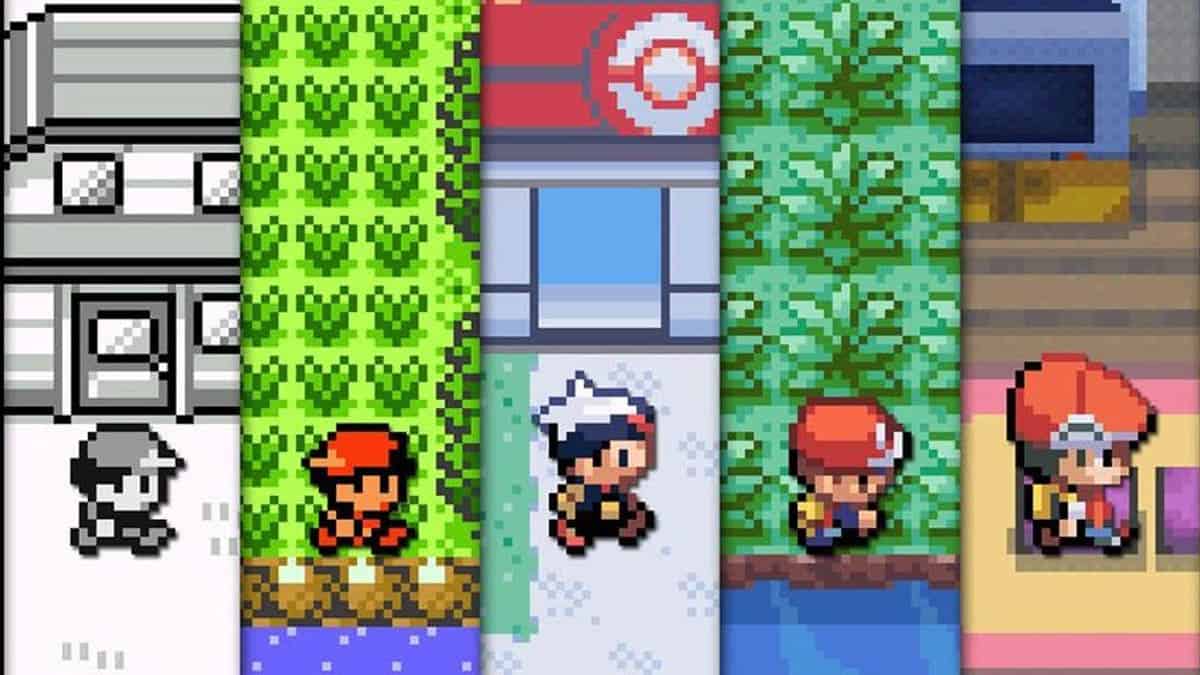
Image from The Pokémon Company
The player is a Pokémon trainer. Pokémon-0 puts them on a field of grass the size of one screen, and walks them across it one tile at a time.
Project Layout
The layout is the one you know from Zelda. main.js creates a Game, pushes a PlayState, and starts the loop. src/ is split into folders by job:
Directorysrc/
Directoryconfig/ data and tuning values
- animatedTiles.js
- characters.js
- game.js
- tiles.js
Directoryobjects/ things that make up the world
- GameEntity.js
- GameMap.js
- Layer.js
- Player.js
- Tile.js
Directoryservices/
- maps.js loads the maps
Directorystates/ game screens and character states
Directoryplayer/
- PlayerIdleState.js
- PlayerWalkState.js
- EntityState.js
- PlayState.js shows the map
- assets.js
- enums.js
- frames.js
- globals.d.ts
- main.js
Files import from @lib/ for the framework and @src/ for this game, as before.
Loading the Map
The map is assets/maps/town.tmj, saved by the Tiled map editor. It’s 15 × 11 tiles of grass, which fills the 240 × 176 canvas. main.js waits for it to load before it starts the game:
44await loadMaps(mapFiles);45
46game.services.stateStack.push(new PlayState(game.services), {47  mapId: START_MAP,48  player: new Player(game.services),49});50
51game.start();
Pokémon keeps its screens in a stateStack instead of Zelda’s state machine, and push() takes the state itself rather than its name. Pokémon-2 explains the stack. Inside a state, this.game is the game.services that main.js passes in.
Mario and Zelda kept their maps as arrays copied by hand out of Tiled. loadMaps() in src/services/maps.js reads the file Tiled saved instead, and Pokémon-1 explains how.
Two Positions
Zelda’s Link moves freely, but a Pokémon character always stands on one tile and walks to the next. GameEntity in src/objects/GameEntity.js keeps two positions for that:
26constructor(game, position, direction) {27 this.game = game;28 this.position = new Vector(position.x, position.y);29 this.canvasPosition = new Vector(30 position.x * TILE_SIZE,31 position.y * TILE_SIZE,32 );33 this.direction = direction;34}positionis the tile, counted in columns and rows. The game logic only reads this one.canvasPositionis where the sprite is drawn, in pixels. A tile isTILE_SIZE(16) pixels across.
When the player stands still, canvasPosition is position times TILE_SIZE. During a step, position already holds the tile the player is walking to, and canvasPosition slides towards it, so nothing else can walk onto that tile during the step.
Idle and Walking
Player in src/objects/Player.js has a state machine with two states. In PlayerIdleState, pressing a direction the player isn’t facing only turns them, and turn() holds them still for PLAYER_TURN_DELAY, so a quick tap turns without stepping:
72turn(direction) {73 this.entity.direction = direction;74 this.canMove = false;75 this.timer.after(PLAYER_TURN_DELAY, () => {76 this.canMove = true;77 });78}The Timer belongs to the state, and exit() cancels it. Holding a direction the player already faces changes to PlayerWalkState. Its handleMovement() in src/states/player/PlayerWalkState.js checks the tile in front of the player with isValidMove():
55player.direction = direction;56
57const target = player.getFacingPosition();58
59if (player.isValidMove(target)) {60  // void: nothing waits for this step, so the game loop carries on.61  void this.walkTo(target);62} else {63  player.changeState(PlayerStateName.Idle);64}
isValidMove() asks GameMap.isTileOpen(), which only checks that the tile is on the map until Pokémon-1 adds walls.
Walking with async
A step has to finish before the next one starts. walkTo() uses async and await, which you used for Match-3’s tweens:
73async walkTo(target) {74 this.isMoving = true;75 await this.entity.move(target, this.animation);76 this.isMoving = false;77}await pauses walkTo() until move() has finished, and nothing else. The game loop keeps calling update() and render(), so the sprite slides while walkTo() waits. While isMoving is true, update() skips handleMovement(), so no new step starts. Once the step ends, the next update() checks the keys again.
An async function returns a promise, an object for a result that isn’t ready yet. The promise resolves when the result arrives, and await waits for that. handleMovement() leaves out the await on purpose, because nothing has to wait for the step. void in front of the call runs it and throws away the promise, which tells the reader the await isn’t missing.
Advancing the Walk Cycle
Each direction’s walk cycle in src/config/characters.js has four poses, each a sprite on the sheet. The player stands in sprites 1, 4, 7, and 10, with a foot forward in the poses around them:
7export const WALK_FRAMES = {8 down: [0, 1, 2, 1],9 up: [3, 4, 5, 4],10 left: [6, 7, 8, 7],11 right: [9, 10, 11, 10],12};PlayerWalkState builds these animations with an interval of 0, so time never advances them. Instead, move() in src/objects/GameEntity.js calls nextFrame() twice in each step. A step starts on a foot pose, switches to standing halfway, and to the other foot at the end, so the legs move only while the player does.
move() starts by working out the middle of the step in pixels, and sets the new tile:
97async move({ x, y }, animation) {98  const { timer } = this.game;99  const midpoint = {100    x: (this.canvasPosition.x + x * TILE_SIZE) / 2,101    y: (this.canvasPosition.y + y * TILE_SIZE) / 2,102  };103
104  this.position.x = x;105  this.position.y = y;
The two slides are tweens on canvasPosition. timer.tweenAsync() returns a promise that resolves when its tween ends, so awaiting one tween before starting the next plays them one after the other.
move() uses the shared game.timer, not a state’s own Timer. The game loop updates game.timer every frame, whatever state is showing, so its tweens always run to the end.
On the left, move() slides the whole tile in one tween, as the starting code does. On the right, it slides in two halves and calls nextFrame() after each. The LCD counts the nextFrame() calls:
Take a step
Hold a direction and the player glides from tile to tile with their legs still, because move() in src/objects/GameEntity.js slides them the whole way in one tween and never advances the walk cycle.
Split the tween under the TODO into two halves:
- Have the tween stop at
midpoint, in half ofMOVE_DURATION. - Call
animation.nextFrame()after it, so the legs move. - Add a second tween from there on to the tile, also in half of
MOVE_DURATION. - Call
animation.nextFrame()again after that one.
Await both tweens, so the second half starts only once the first is over. The Challenge tab gets a ✓ once you’ve walked three tiles from where you started.
midpoint is already set at the top of move(), halfway between where the player stands and the next tile. timer.tweenAsync() takes the object to move, where to move it, and how many seconds that takes.
If the player never stops halfway, the first tween is missing its await, so both tweens start on the same frame.
Replace the TODO and the tween under it with:
await timer.tweenAsync(this.canvasPosition, midpoint, MOVE_DURATION / 2);animation.nextFrame();
await timer.tweenAsync(  this.canvasPosition,  { x: x * TILE_SIZE, y: y * TILE_SIZE },  MOVE_DURATION / 2,);animation.nextFrame();